
Reservations
Reservations are no longer required to enjoy the Fishers Community Center Indoor Playground, Strengthened by Riley Children’s Health. Guests are welcome to walk in during open hours, as space allows. Prefer to plan ahead? Reservations are still available 48 hours in advance to guarantee your spot. Reservations are one hour in length, with start times every 30 minutes, and are limited to one per person, per day.
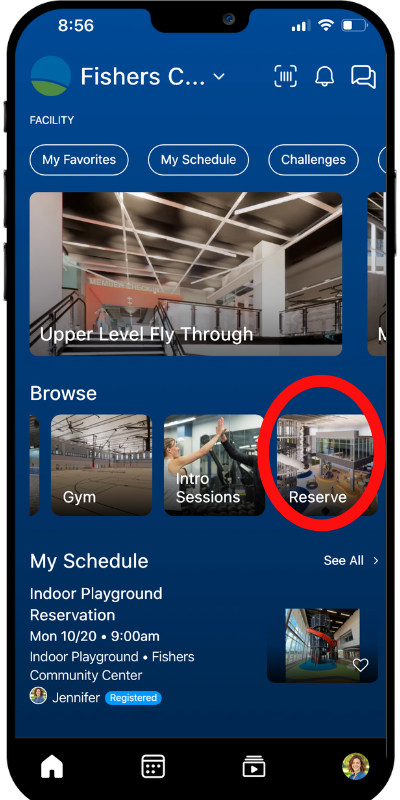
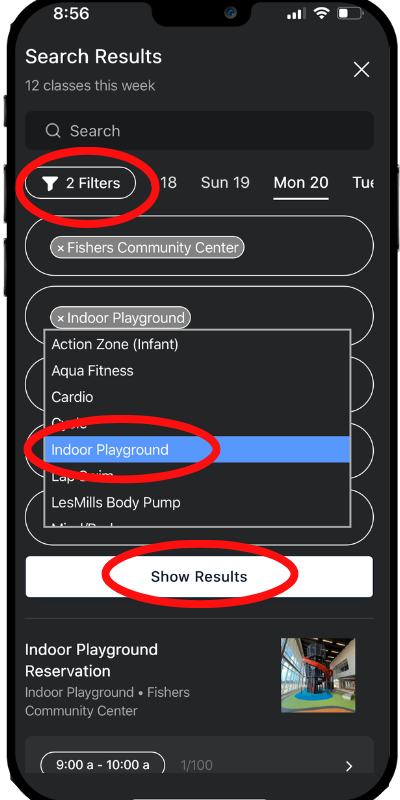
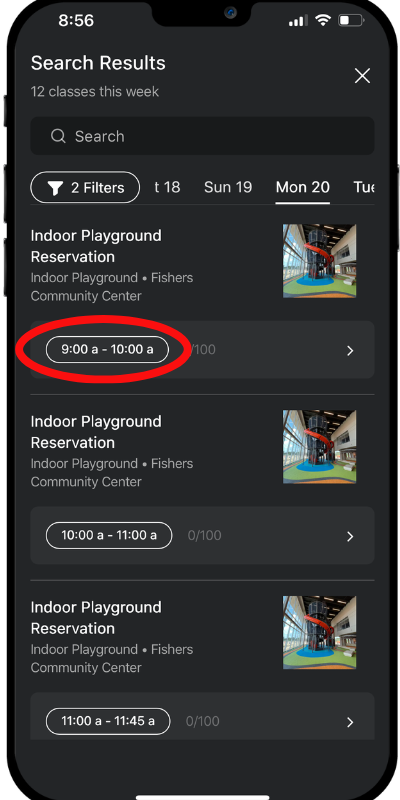
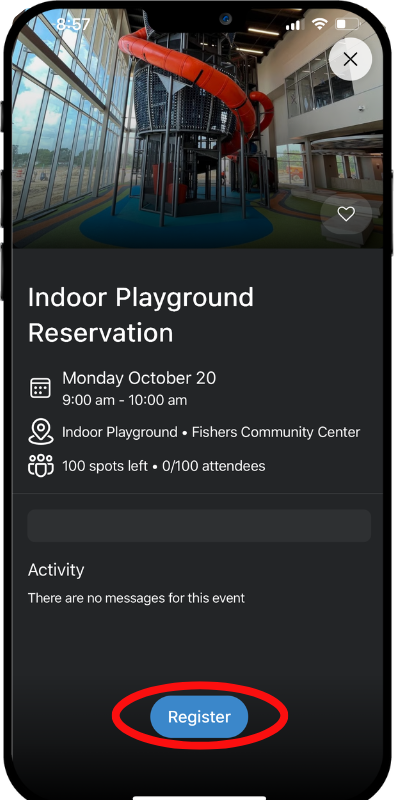
Learn how to make a reservation through the steps below!
If you can no longer make your playground reservation, please open the app and select “can’t go” so we can offer your spot to others on the waitlist.
If you have issues accessing the app, CLICK HERE to get started through a web browser.